How to View Detailed Properties of Any Object in Google Slides
Quickly check type, ID, size, position, font, and more for any selected object – perfect for troubleshooting or planning components.
1. Open the sidebar
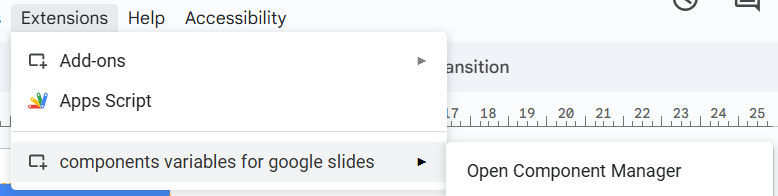
Go to Extensions → Components and Variables for Google Slides™ → Open Component Manager.
2. Inspect the object
Select the object on your slide, then click Check Selected Element in the sidebar.
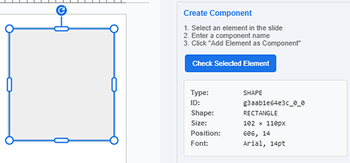
All important details instantly appear in the panel so you know exactly what you’re working with.