
How to Update All Instances When You Change a Master Component
With Components and Variables for Google Slides™, one click is all it takes to push your latest master changes to every linked instance across the entire presentation.
1. Open the sidebar
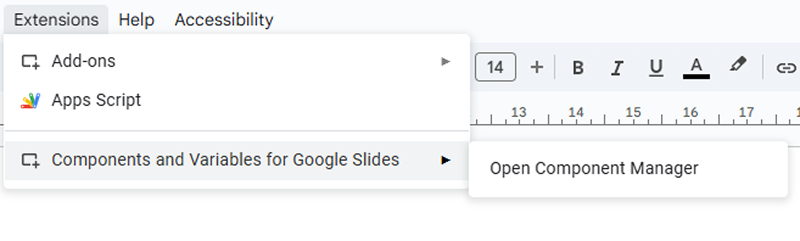
Go to Extensions → Components and Variables for Google Slides™ → Open Component Manager.
2. Update the instances
In “My Components”, find your master component and click Update Instances.
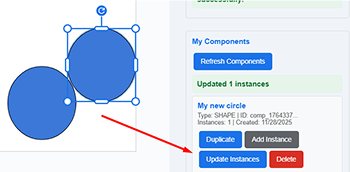
Done! You’ll see the green success message showing how many instances were updated (e.g., “Updated 12 instances”).

Your presentation is now perfectly consistent again!